Panel Page Flip is my browser app for keeping a digital comic collection organised and reading it across devices. Upload your comic files, arrange them into folders, and open a book on your computer, tablet or phone. Sign in to the same account to pick up where you left off.
The reader lives at comics.starbugstone.com. This page introduces the project; the comic-reader articles cover updates and practical guides.
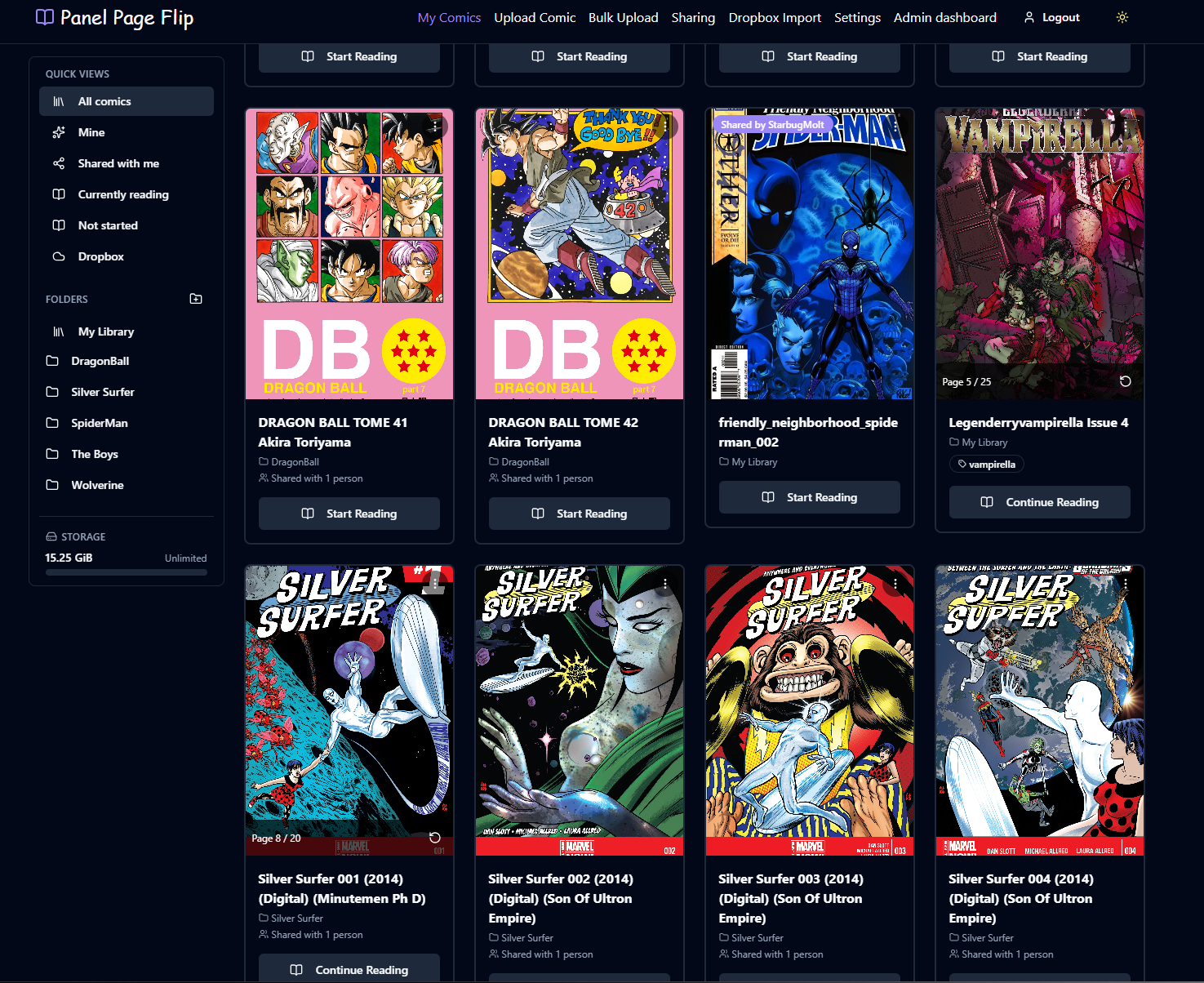
A library you can find your way around
A directory full of comic archives is easy to accumulate and harder to browse. Panel Page Flip gives those files covers, folders, tags and search. Keep a series together in a folder, use tags for a creator or reading list, and switch between grid and table views when you need a different way to browse.
Folders organise your library without renaming the stored source files. They also stay personal: someone who shares a comic with you does not decide how you arrange it. Reading progress is saved to your account, so a half-finished issue is easier to find again.
Read on the screen you have
The reader works in a web browser, with fullscreen reading, keyboard navigation and layouts for smaller screens. It requests pages as you read and prepares nearby pages, instead of sending the entire comic archive to the browser at once.
On another device, open the same hosted reader and sign in to the same account. Your library and saved position follow that account. A different self-hosted installation has its own users, files and progress.
Bring your first comic
- Open the reader and create an account or sign in. Follow the verification instructions if you register by email.
- Choose one comic file you are entitled to upload. CBZ is a useful starting point; check the uploader for the other formats enabled on this installation.
- Wait for the upload and processing to finish, then open the comic from your library. Read a few pages and check that your place is saved.
- Once that works, add more files with bulk upload and organise them into folders or tags. Storage usage is shown in the library and Settings.
For a fuller walkthrough, use the upload, organisation and troubleshooting guide. If you need a file to start with, the downloadable-comics guide explains which sources provide files you can keep.
Which file formats work?
The project supports CBZ, CBR, CB7, CBT and PDF. Availability depends on the server’s tools and the formats enabled by its administrator, so the uploader is the reference for the installation you are using.
PDFs need a little care: image-based comic PDFs and documents made from text or vector artwork can require different server support. Password-protected PDFs are rejected. Changing an extension does not convert a file; the format documentation explains the requirements.
Sharing and larger collections
Sharing grants another reader access to an existing comic without making a second stored copy. Each reader keeps their own reading position and can organise the comic in their own library. The owner can revoke access. Use it for material you have permission to share.
Bulk upload handles batches of local files. Where enabled, Dropbox import can bring supported files into the library and detect duplicates. That importer copies files in one direction; it is not a two-way sync or a backup service. Keep your original comic files somewhere safe.
Use the hosted reader or explore the project
You can use the hosted Panel Page Flip reader without setting up a server. If you want to run your own installation or see how it works, the GitHub repository contains the application and setup instructions. Optional features depend on the host’s configuration.
For help, include your browser, the file format and the error you saw. Use the issue tracker or contact me. For development news, browse the Comics archive.
More projects: Panel Page Flip · Prospect Hollow · Rivet Reach · All projects