Meet Tumbleworks, my new marble sorting game
In Tumbleworks, you start by tipping a crate of marbles into a funnel. They tumble onto a conveyor and roll past the boxes waiting below. While they’re going round, there’s another crate right there ready to pour. Do you tap it now or give the belt another lap? A lot of the game comes down to little decisions like that.
I’ve put Tumbleworks online. It’s a marble sorting game built for playing in your browser with your phone held upright. There are 120 levels, with 40 each of Funnel Sort, Loop Sort and Tube Sort. The campaign takes you through one of each in turn, so the next board often asks you to think a little differently.
Funnel Sort: watch what’s waiting at the docks
Tap a crate and its marbles fall into the funnel, then feed onto the conveyor one at a time. Each dock has a queue of boxes, and only the front box can collect marbles of its colour. When it fills, the next box moves up. If the belt fills with marbles none of those boxes can take, you’ve jammed the machine.
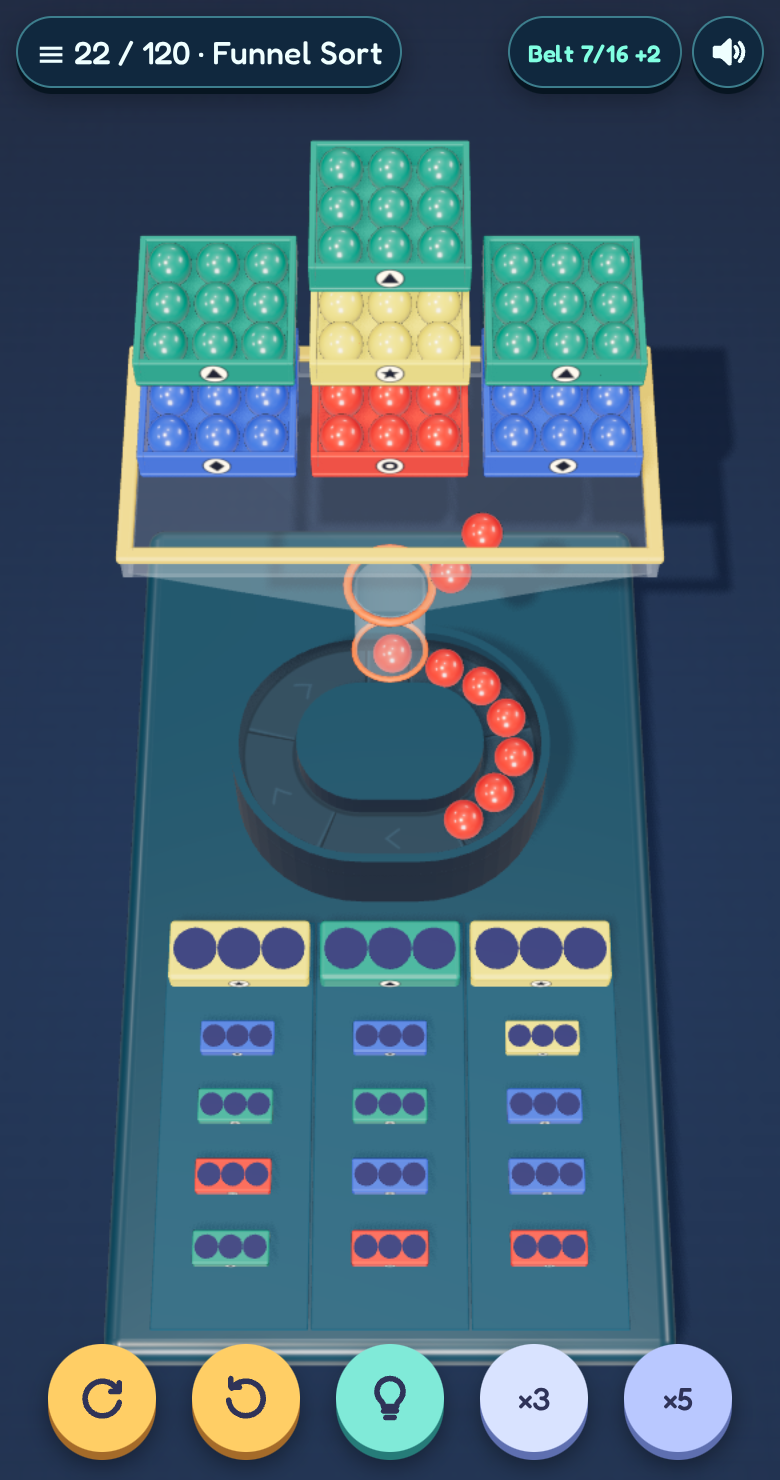
It helps to look at the boxes before you look at the crates. A colour you need later can take up space now, so getting the first box out of the way can be more useful than pouring everything you have access to.
Loop Sort: give each truck the right load
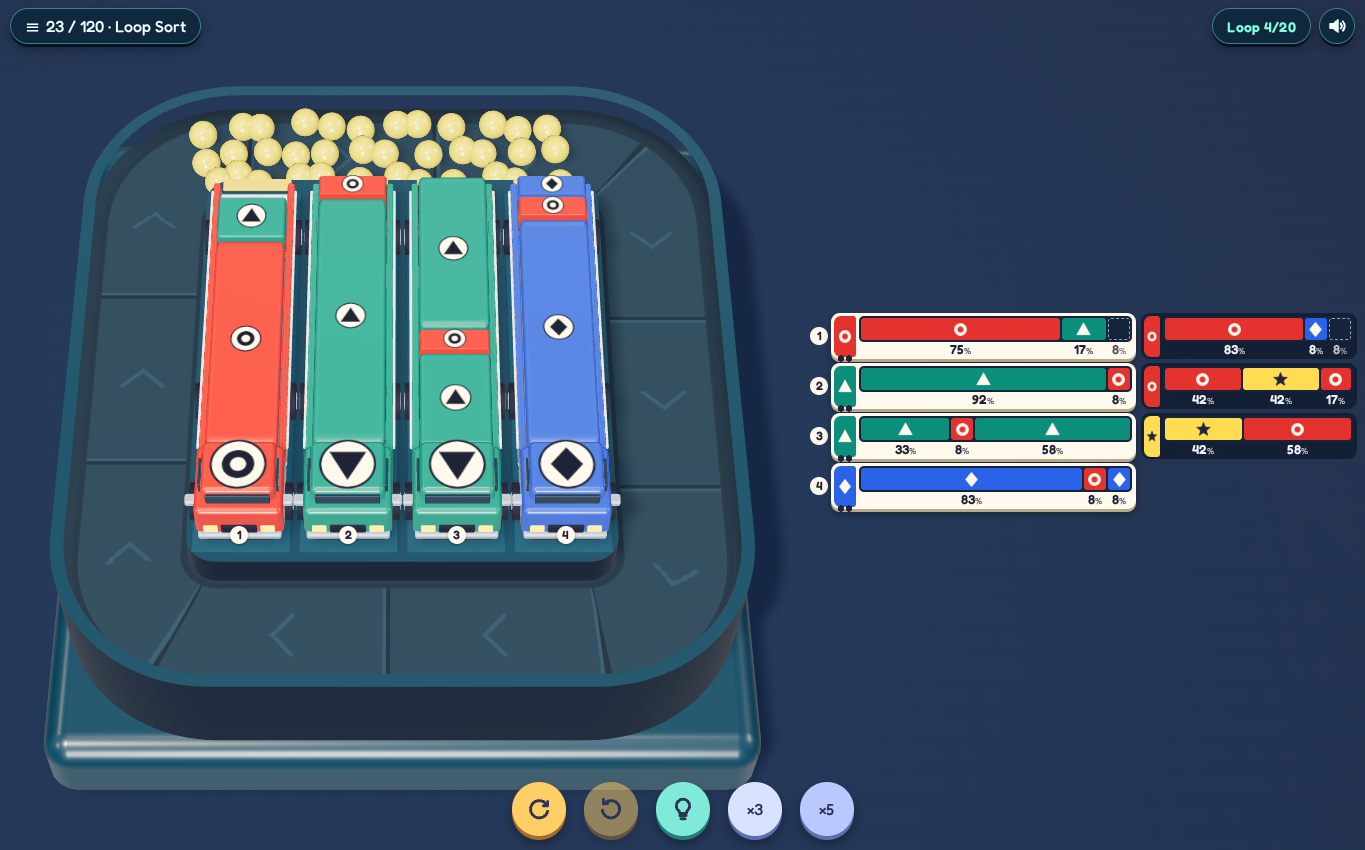
The trucks collect whichever colour is at the open end of their load as matching marbles pass. Their cabs show the colour they need to finish with. In the screenshot below, the first truck has a red cab but green at the open end. Tap it to pour the green out and expose the red underneath. Before you do, check that the loop has room and see which other truck could take that green.
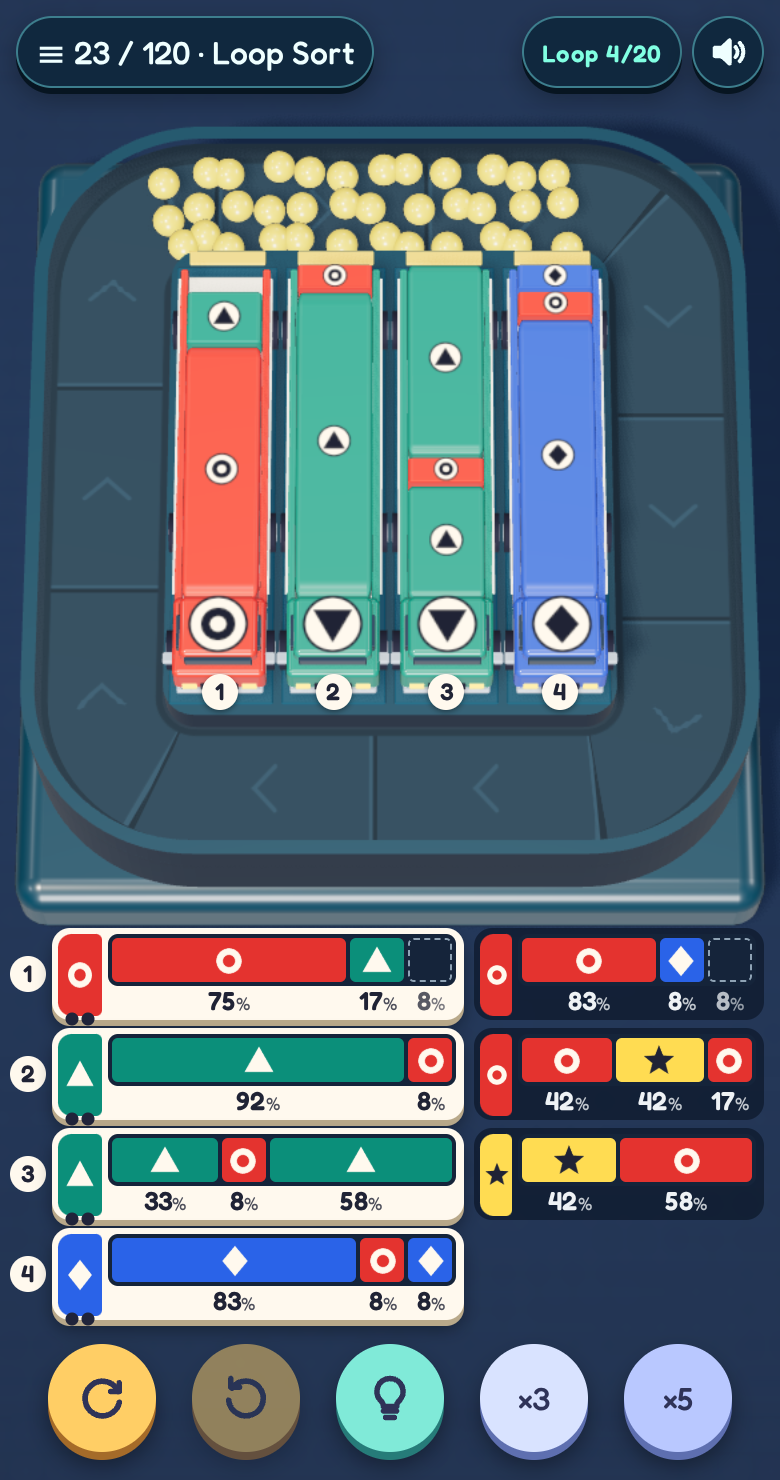
A truck drives off when it’s full of its finishing colour, and the next one in the lane pulls up. That can change what the loop is able to clear, so it pays to look at the queue as well as the truck in front.
Tube Sort: make room for the next move
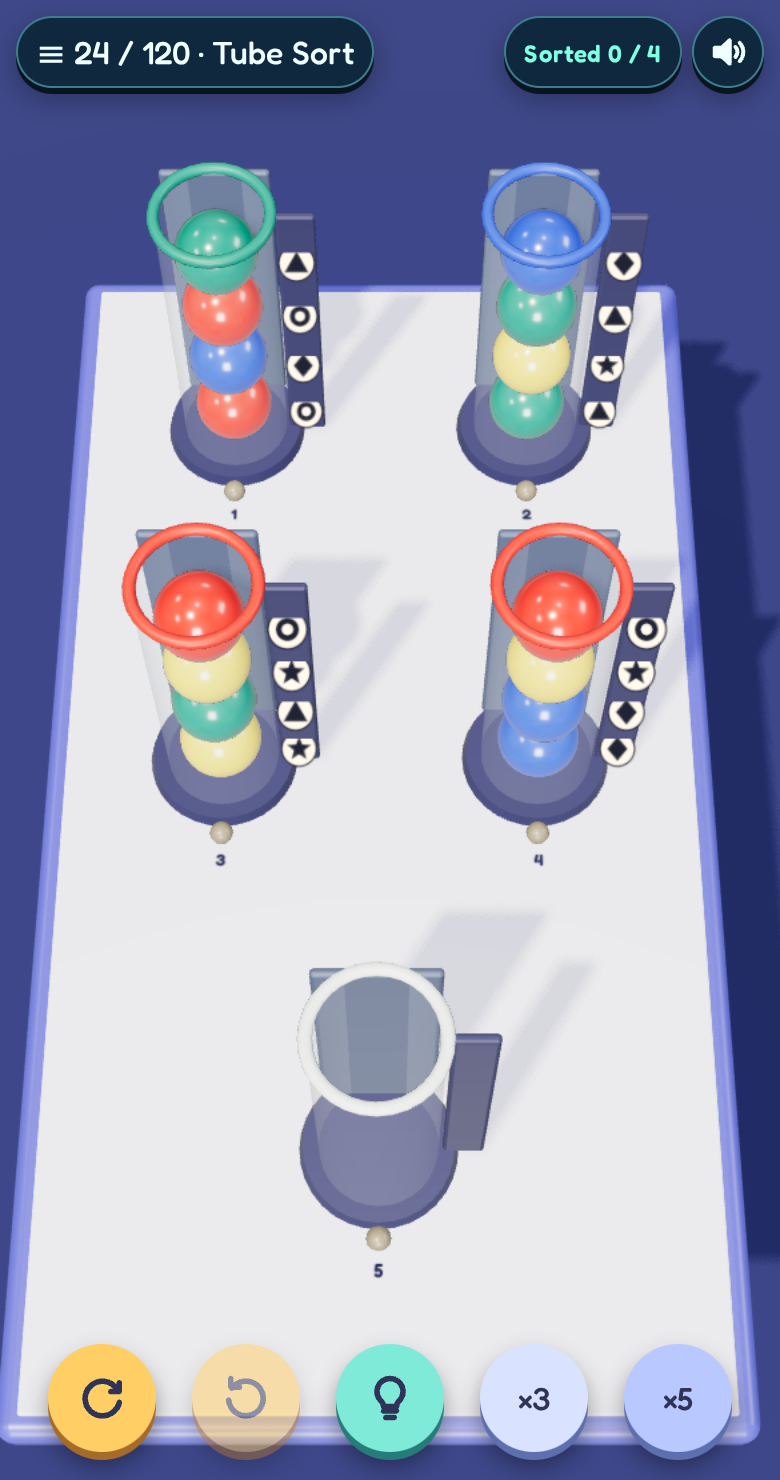
Here you move a group from the top of a tube into an empty tube or onto a matching colour, as long as there’s room. Drag the marbles or tap the two tubes. The aim is to fill each tube with one colour. An empty tube gives you a place to put something aside while you uncover what’s underneath.
Try a round on your phone
The first three boards guide you through a move in each mode. Tap the level name at the top left to jump to another board or switch between English and French. You can undo a move, restart the board or ask for a hint in all three modes. When you’re waiting for the belt to come round, hold ×3 or ×5 to speed things up.
The marbles differ in brightness as well as colour. Crates, boxes, truck cabs and the rails beside the tubes carry symbols too, with a legend in the level menu. There’s no account to create: the browser remembers your completed levels on that device. If you reload in the middle of a puzzle, that board starts again.
For the curious, I built it in TypeScript with Three.js and Rapier. The drop into the funnel uses physics, then the belt carries marbles along a fixed route so you can plan around where they’ll go. The source and development notes are on GitHub.
Play Tumbleworks in your browser. If you give all three modes a go, I’d like to know which one makes you reach for Undo first.