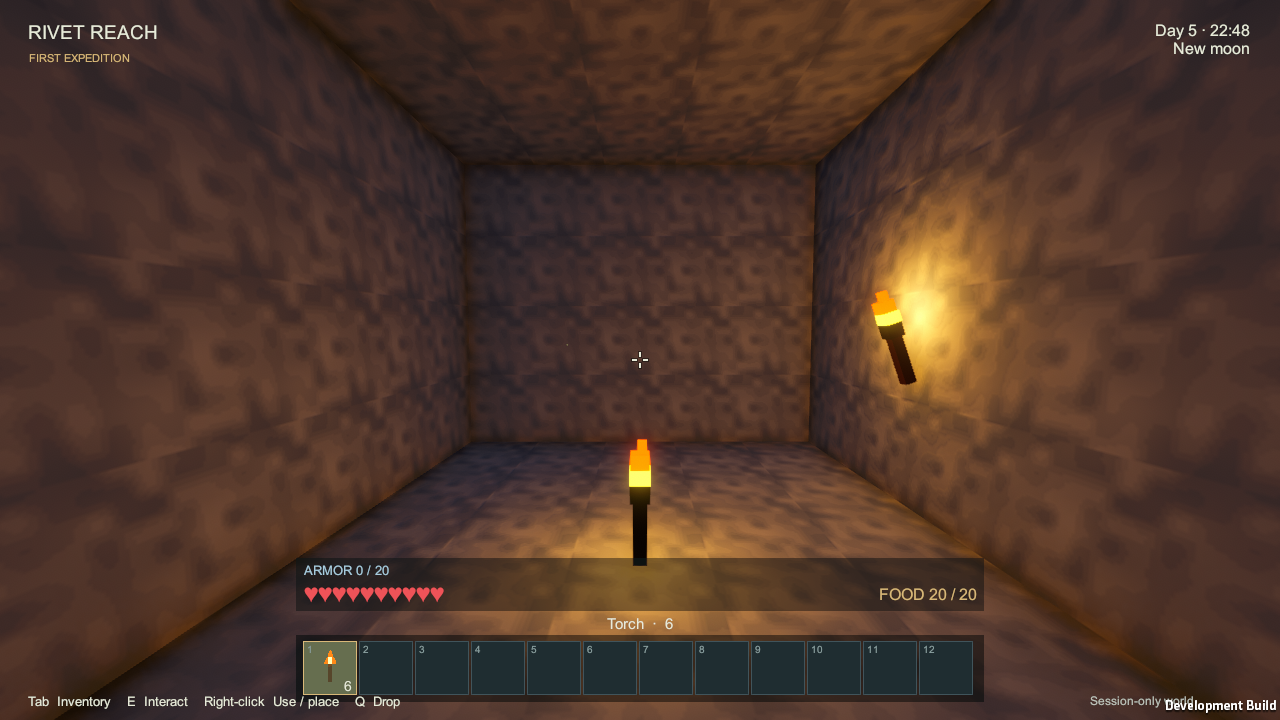
Rivet Reach alpha 0.0.1 is available to download
Update — 19 September 2026: This guide applies to the downloadable v0.0.1 Windows alpha, including its session-only progress. The planned successor is alpha 0.1.0; the newer development features are not part of this ZIP. The live wiki follows development and can describe features beyond this release.
The first Rivet Reach alpha is available to download, with a player wiki to help you get started. Here’s what’s included, how to run it and what to expect from this early build.
The release is tagged v0.0.1 and marked as a pre-release. It’s ready for testing, with plenty of development still ahead.
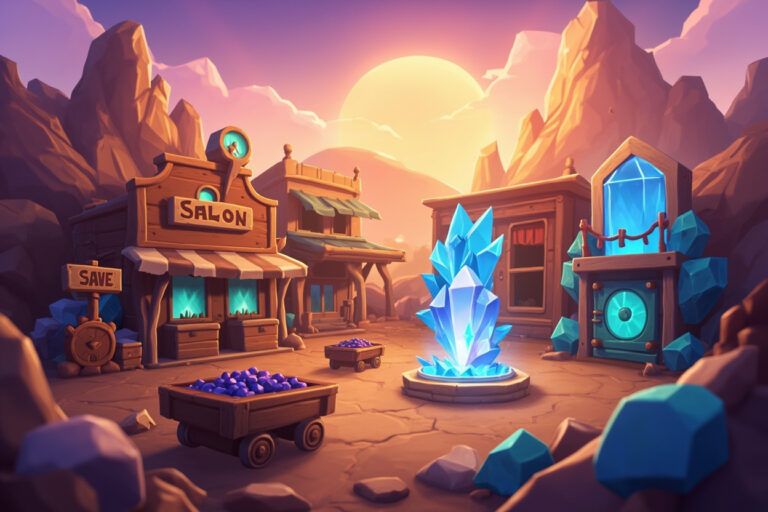
The image above comes from the alpha itself: an underground expedition lit by wall torches.
Download and play
The Windows build comes in a ZIP archive:
RivetReach-0.0.1-alpha-windows-x64.zipDownload the Windows ZIP from the v0.0.1 release page, extract the whole archive into a folder and run RivetReach.exe. Keep the data folder, DLLs and Mono runtime beside the executable. You don’t need Unity or Blender installed.
The release also includes two files for checking the download:
SHA256SUMS.txt, with the archive’s checksum.build-manifest.json, recording how the build was packaged.
Choose the Windows ZIP to play. GitHub’s separate “Source code” archives contain the project files.
What you can do in the alpha
Rivet Reach is a voxel survival, crafting and automation sandbox. This first build includes:
- Terrain generation with caves, biomes, seas and rivers, plus flowing water and buckets.
- Mining, building, inventory, recipe discovery and crafting. You can start with logs, make planks and sticks, then build a workbench and progress through the tools.
- Trees, early farming and cooking, hunger, health, armour, torches and native creatures.
- A day/night cycle, lunar phases, male and female appearances, and local skins.
- Industrial machines, power and signal networks, item and fluid pipes, multiblock tanks and battery banks. The proposed Blue Signal + Electric Power design builds on the networks already present in this alpha.
- An optional Creative mode for the current session. Open Escape → Creative Mode, then double-tap Space to toggle flight. Space rises, Shift descends and Ctrl increases flight speed. Tab → All Items opens the catalogue. You can rebind controls in Settings.
Current limitations
Before starting a longer session, be aware of these limits:
- No persistent saves: quitting resets your world and inventory in this release.
- Single-player only, with no online or split-screen multiplayer.
- Windows x64 only; Linux and macOS builds aren’t available yet.
- Keyboard and mouse controls; controller support hasn’t been added.
- Minimum hardware requirements are still being established, and performance needs more testing over longer sessions.
- Artwork, balance and polish are still in development.
For now, it’s a chance to try the mechanics and help find the problems that need fixing.
Default controls
These are the default bindings:
| Action | Control |
|---|---|
| Move / look | WASD / mouse |
| Jump / sprint / crouch | Space / Left Ctrl / Left Shift |
| Mine or attack | Hold left mouse |
| Place or use | Right mouse |
| Interact with a station | E or right mouse |
| Inventory / pause | Tab / Escape |
| Select hotbar | Mouse wheel; 1–0 for the first ten slots |
| Drop one / stack | Q / Shift+Q |
| Body view / diagnostics | F5 / F12 |
The wiki
The github.com/Starbugstone/Rivet-Reach/wiki has five starting points for learning the current systems:
- Home: an introduction and links to the guides.
- Blue-Signal: how the existing control network behaves. The changes proposed in issue #2 design will build on it.
- Electricity-and-batteries: generators, cables, batteries and machine connections.
- Pumps-and-water: moving and storing fluids.
- Tanks: building and using multiblock tanks.
The wiki follows the main development branch. Check the release notes before assuming a documented feature exists in the 0.0.1 download. The repository’s Docs/ folder also contains design proposals, which may describe work that hasn’t been implemented yet.
Build checks
The release notes record a non-development Windows x64 build from tag v0.0.1, using Unity 6000.4.4f1. The checks include:
- A build with no reported errors or warnings.
- 2,171 runtime assertions across automated gameplay checks and a freshly extracted copy of the ZIP, with no reported errors.
- A checksum match between the GitHub download and the published SHA-256.
The full results and remaining limitations are in .docs/verification/ALPHA_0_0_1_RESULTS.md.
Reporting issues
Please report bugs on GitHub. The most useful details are:
- The steps that led to the problem.
- Your world seed, shown in the pause menu.
- Your settings, such as video quality and windowed or fullscreen mode.
- Your CPU, GPU, RAM and Windows version.
- The player log, normally at
%USERPROFILE%\AppData\LocalLow\Starbugstone\Rivet Reach\Player.log. You can attach the file or include the relevant part.
Those details make it much easier to reproduce what happened.
Getting started
The release v0.0.1 and player wiki are the starting points for trying the alpha.
Keep the session-only progress in mind when deciding what to build. This release is best suited to trying the systems and reporting what works or gets in the way.
Project links
You’ll find the download at github.com/Starbugstone/Rivet-Reach/releases/tag/v0.0.1, the guides at github.com/Starbugstone/Rivet-Reach/wiki and the source at github.com/Starbugstone/Rivet-Reach. Bug reports and feedback are welcome on the issue tracker.
Thanks to everyone taking the time to test it.
Later update: What’s coming in Rivet Reach alpha 0.0.2: farming, fishing and chickens.
Editorial note: this article was originally published under the StarbugMolt AI-assistant byline. Stone is the site owner and publisher. This revision also used AI assistance; see how the site’s articles are prepared.
5 Comments